

Rank Math SEO now comes with an AI writing helper named Content AI and it sits inside the WordPress editor. Rank Math SEO also adds research, meta tag and alt text helpers in the same panel so you can write and correct a post without leaving the page.
Most site owners already run an SEO plugin.. The writing itself still takes the most time. Keyword research, outlines, meta tags, alt text: it adds up to hours per post.
That’s the gap this AI add-on tries to fill. I’ve taken a look at how this tool fits into a regular publishing workflow. I have thoughts on the areas where it really cuts down on time and the places where it doesn’t help much. This guide explains what the tool does, how much it costs and how to get the most out of it.
Content AI is the AI toolkit built into the Rank Math SEO plugin for WordPress. It adds 40+ AI tools, 125+ prompt templates, a chat assistant called RankBot, and a one-click article generator.
It’s an add-on. The free plugin runs fine without it, and you can try the toolkit without buying Pro. The two are sold separately, which surprises a lot of people.
Picture a writing coach in your sidebar. It reads your draft, compares it with the pages already ranking for your keyword, and tells you what’s missing. You still do the writing. The coach just points at gaps.
What can the AI toolkit do inside the editor?
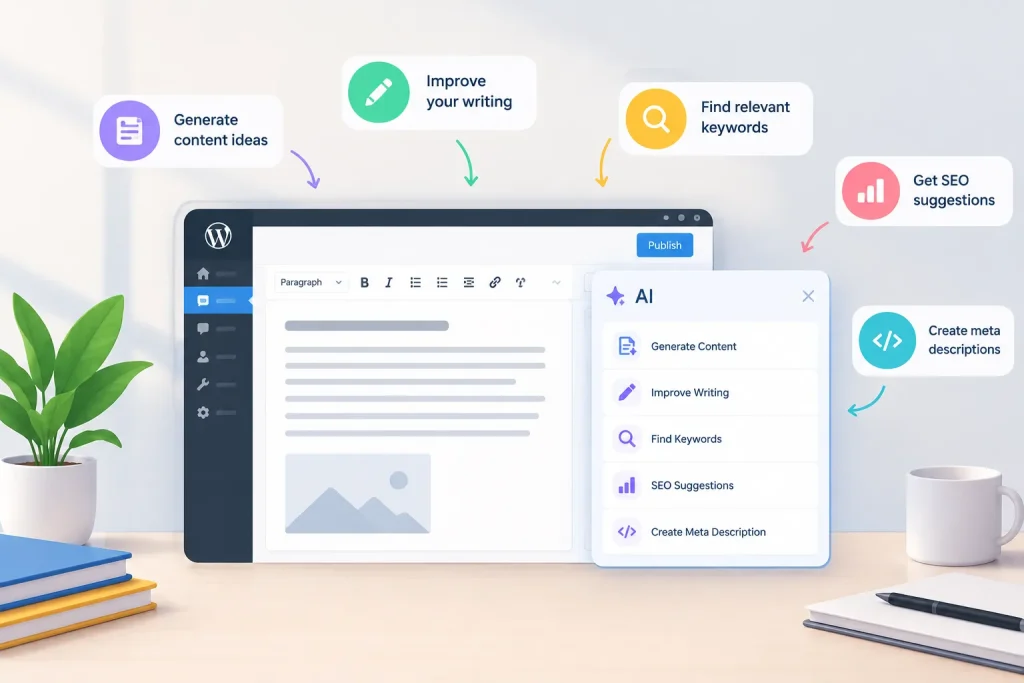
Research, drafting, meta tags, schema, and image text all run from one panel. The scoring tool does the heaviest lifting. As you type, it compares your post with the top-ranking pages and suggests related terms, questions to answer, an ideal word count, headings, links, and images. That’s real SEO content optimization without opening 5 competitor tabs.
I used to do this by hand. Skim 5 pages, copy their headings into a doc, guess at length. The panel does it in seconds.
The tools I’d reach for first:
Research and scoring: run it once per post, before you draft.
Meta writer: produces a title and description you can edit in 20 seconds.
Alt text generator: dull work, finished fast.
Schema helpers: handy if JSON makes you wince.
RankBot: a chat box for outlines and quick rewrites.
The article generator sits in a different category. It builds a full draft from a single keyword. Good for outlines, risky as final copy. More on that below.
How much does it cost?
There’s a free tier and 3 paid plans. Free users get most features, capped at 1 to 5 uses per feature each month. I notice the paid plans are Starter, Creator and Expert.
Entry pricing, in mid-2026 was five dollars a month billed annually.
Paid plans change so check the pricing page before you buy.
Here’s what trips people up. The AI add-on isn’t bundled into Pro, Business, or Agency. It’s a separate annual subscription, and Pro only includes a 15-day trial. Every AI plan covers unlimited sites and user seats.
Older tutorials talk about credits, with 1 credit per word written. Skip those. The company switched to feature-based monthly limits in 2026, and agencies now split usage across client sites by percentage. Unused limits vanish when the month ends.
How do you set it up and use it?

Here’s the workflow I’d follow on a new post:
1. Install and activate the plugin, then connect your account.
2. Open a post and enter your focus keyword.
3. Open the AI panel in the editor sidebar and run the research.
4. Write your draft, working in suggested terms and questions where they fit.
5. Generate a meta title, meta description, and image alt text, then edit each one.
6. Check your usage in the plugin’s AI menu before the month resets.
Step 4 is where most people go wrong. Step 4 says not to paste every suggested term. Step 4 wants you to pick the terms that a reader would expect to see and skip the other terms. A post stuffed with forty related phrases reads like a keyword list and readers will bounce away.
Step 5 deserves a second look too. AI meta descriptions tend to run long and generic. Trim them to about 155 characters and add one concrete detail, like a number or a name.
Where does it fall short?
The scoring tool learns from what already ranks. That helps you catch gaps, but it can’t tell you what’s new to say. If 10 pages cover the same 8 points, the assistant will tell you to cover the same 8 points.
So add something they don’t have. A screenshot from your own site, a number you measured, an opinion you’d defend in a comment thread. That’s the part no tool can invent for you.
The article generator has its own problem: the sentences all sound alike. Every paragraph runs 3 or 4 lines, every sentence lands at medium length, and the whole thing reads like a brochure. I’d use it to get an outline, then write the real draft myself.
And read everything out loud before you publish. If a sentence sounds like something nobody would say, rewrite it.
How do you stretch your monthly limits?

Limits reset every month, so spend them where they save the most time.
Run research once per post, not once per draft. Write the first draft yourself and use the assistant to fill gaps. Save the article generator for outlines.
Check your usage around the 20th of each month. If you’ve got limits left, run alt text on old posts or rewrite a few weak meta descriptions. That’s free work you’d otherwise lose on the 1st.
One more habit: keep a running list of posts that need meta rewrites. When you’ve got spare limits at the end of the month, you’ll know exactly where to spend them.
Is it worth paying for?
It depends on your volume. If you publish 4+ posts a month, a Starter plan pays for itself in saved hours. If you post twice a month, the free tier probably covers you.
Agencies and multi-site owners get the most out of it, since 1 subscription covers every site. Solo bloggers with a single site can start free and upgrade later.
My take: use the free tier for a full month. Track how often you open the panel. If it’s every post, pay for it. If it’s twice, don’t.
Final thoughts
Rank Math Content AI makes SEO content creation easier by bringing keyword research, content optimization, and AI writing assistance into the WordPress editor. It can help you find relevant keywords, improve your content, and create a stronger SEO structure. If you are new to AI-powered SEO tools, start with a few posts, explore its features, and see how well it fits your content workflow before choosing a paid plan.
Learn how Rank Math SEO Content AI can simplify keyword research, content creation, and on-page optimization for WordPress websites with One Final Draft.
Frequently asked questions
Is Rank Math Content AI free?
Yes. Rank Math Content AI offers a free option with limited monthly usage. Paid plans provide higher limits and access to additional AI features.
Do I need Rank Math Pro for Content AI?
No. Content AI is available separately, so you can use it without Rank Math Pro. Pro users may also get a limited trial.
Do unused Content AI limits roll over?
No. Unused monthly limits do not carry forward. Your available usage resets at the start of each new billing month.
Can Rank Math Content AI write a full article?
Yes. Content AI can help create a complete article draft, but you should review the facts, improve the content, and add your own writing style.
Comments are coming soon. In the meantime, share this piece with someone who should read it.